

seemote cube Ai machine learning vision pixy
32.800,00 EGP
Build Physical Input into Your visionOS App – Prototype tracked movement, programmable buttons, and haptic feedback—without building a spatial controller from scratch.
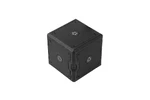
seeMote Cube is a ready-to-integrate handheld spatial input device designed for Apple Vision Pro application development. It combines real-time 6DoF position and orientation tracking, six programmable physical buttons, and app-defined haptic feedback.
seeMote Cube allows visionOS development teams to map real-world movement and physical commands to virtual tools, 3D content, training procedures, and custom spatial workflows—helping move interaction concepts into working prototypes faster.

See Cube in Space
See how seeMote Cube connects physical movement with virtual content inside a visionOS application. Move or rotate Cube to control the position and orientation of a virtual object. Map its physical buttons to application commands, and trigger haptic feedback when an interaction is completed or requires attention.
Video: Demonstration of seeMote Cube controlling spatial content in a visionOS
Three Interaction Layers in One Device
seeMote Cube combines continuous spatial movement, explicit physical commands, and tactile application feedback.
- 6DoF Spatial Tracking: Map Cube position and orientation to a virtual tool, object, handle, pointer, or interaction anchor. Moving, rotating, or tilting Cube can directly control application-defined spatial actions.
- 6 Programmable Buttons: Assign frequently used actions such as Select, Confirm, Undo, Reset, Change Mode, Activate Tool. Button behavior is defined by the application rather than fixed by the hardware.
- App-Defined Haptic Feedback: Use the built-in vibration motor to provide tactile feedback for selection, contact, boundaries, errors, warnings, or task completion.
.webp "Three Interaction Layers in One Device of seeMote Cube")
Video: seeMote Cube Mars Rovers Demo
Start with the Interaction, Not the Hardware Build
Developing a custom spatial controller requires more than adding an IMU to a microcontroller. A complete handheld accessory may also require tracking markers, wireless communication, physical buttons, haptic hardware, battery management, firmware, enclosure design, and visionOS integration resources.

Ready for visionOS Development
SeeMote Cube supports native integration with Apple Vision Pro spatial accessory development workflows.
Included reference files and source code provide a practical starting point for reading supported device input, mapping Cube movement to virtual content, assigning button events, and controlling haptic feedback. The package bundles the reference accessory file, USDZ model, complete sample source code, integration guide, and Apple’s tutorial for setting up reference accessory access — everything needed to move from unboxing to prototyping.

Typical Integration Flow
- 1. Connect Cube: Pair the device and establish application communication.
- 2. Read Input: Access supported tracking pose and button events.
- 3. Map Interactions: Assign movement and buttons to application-defined actions.
- 4. Add Feedback: Trigger haptics for confirmation, contact, warnings, or completion.
_0x0.jpg.webp "Typical Integration Flow From Cube to APP - seeMote Cube")
Applications
Spatially Guided Inspection
Explore a more deliberate way to inspect a digital twin: move through defined checkpoints, review status in context, and confirm findings with physical input.

Robot Path Review & Virtual Teaching
Explore Cube as a tangible 6DoF reference for reviewing robot paths placing waypoints, and confirming proposed motion sequences in visionos.
_0x0.jpg.webp "Application of seeMote Cube - Robot Path Review & Virtual Teaching")
Layer-by-Layer Spatial Model Review
Review complex spatial models one layer at a time. Cube motion could help adjust the viewpoint, while physical input may support focused selection and confirmation
_0x0.jpg.webp "Application of seeMote Cube - Layer-by-Layer Spatial Model Review")
Specification
- Product Name: seeMote Cube
- Product Type: Handheld Spatial Input Device
- Platform: Apple Vision Pro / visionOS 27
- Form Factor: Regular Hexahedron (Cube)
- Tracking DOF: 6DoF
- Tracking Coverage: 360° no blind spots
- Environmental Adaptability: Works in any lighting, from bright ambient to complete darkness
- Physical Buttons: 6 Programmable Buttons
- Haptic Feedback: Vibration Motor
- Connectivity: Bluetooth
- Battery: Rechargeable 500mAh, 3.7V
- API Support: Apple Spatial Accessory API
- SDK Support: Swift
- Power: USB-C(5V)
- Dimensions: 56 × 56 × 56 mm
- Weight: 97.3g
Shipping List
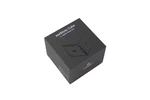
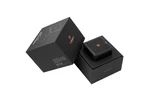
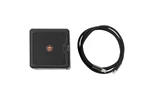
- seeMote Cube × 1
- USB-C cable × 1
- Quick start guide × 1

Reviews
There are no reviews yet.